Can I Swim With My Apple Watch? What Is Safe, What Is Not, and How to Do It Right
Yes, most Apple Watch models handle pool and ocean swimming just fine. Here is exactly how far that goes, how to track your laps, and how to keep the watch healthy for years of swim sessions.
Short answer: yes. Apple Watch Series 2 and every later Series model, plus the SE and Ultra lines, are rated for swimming in a pool or in the ocean. Apple lists them as water resistant to 50 meters, which covers shallow-water activity like lap swimming, snorkeling near the surface, and playing at the beach.
The original Apple Watch and the Series 1 are only splash resistant, so skip the pool with those.
The Short Answer: Yes, You Can Swim With an Apple Watch
If you bought your watch recently, you can wear it in the water. That alone surprises plenty of people. Many of us grew up treating watches as something to strip off before the pool, and a smartwatch with a glass screen and a battery inside feels even more fragile. Yet swimming was one of the activities Apple built into the watch on purpose, with a dedicated workout type, automatic screen locking, and a speaker that pushes water out of its own housing.
The honest version of the answer has a few conditions attached, though. “Water resistant” is not the same as “waterproof.” Resistance depends on the model you own, the condition of its seals, and what kind of water you are in. A cool chlorinated pool is the easy case. A hot tub, a sauna, a soapy shower, or a waterski tow rope is not. The rest of this guide walks through each of those situations so you know where the line sits.
You will also find out how to start a swim workout, what the watch actually measures, how accurate those numbers are, and which bands, goggles, and accessories make the whole experience smoother. If you are still putting together your pool kit, our roundup of the best swimming goggles is a good companion read.
Which Apple Watch Models Can Actually Swim?
Not every Apple Watch ever made is built for water. The line between “safe” and “not safe” falls cleanly by generation, so it helps to know exactly which one is on your wrist before you head for the lane.
| Model | Water rating | Swim-ready? |
|---|---|---|
| Original Apple Watch (first generation) | Splash resistant only | No. Rain and hand washing are fine, swimming is not. |
| Apple Watch Series 1 | Splash resistant only | No. Same limits as the original. |
| Apple Watch Series 2 and later | 50 meters water resistance | Yes. Pool and ocean swimming are supported. |
| Apple Watch SE (all generations) | 50 meters water resistance | Yes. Full swim workout support. |
| Apple Watch Ultra (all generations) | 100 meters water resistance, with a dive-rated build | Yes, and it goes further, with recreational scuba support. |
How to check your model
Open the Watch app on your iPhone, tap General, then About, and look at the model name. You can also open Settings on the watch itself and go to General, then About. If it says Series 2 or higher, SE, or Ultra, you are covered for swimming.
Why the Ultra is a different animal
The Ultra line is built for harsher use. It carries a higher water-resistance rating, a larger and louder speaker for clearing water, a tougher case, and features for recreational diving. Most swimmers will never need those extras. If you spend long sessions in open water, though, the bigger screen and the dedicated Action button make it easier to mark laps and segments without fumbling with a wet touchscreen.
Keep in mind that Apple’s stated water resistance applies when the watch is new. Seals, gaskets, and adhesives can wear down over time, especially after drops, bumps, heat, or exposure to chemicals. A five-year-old watch that has taken a few knocks may not perform like it did on day one, so be a bit more conservative with older units.
What “Water Resistant to 50 Meters” Really Means
The number on the spec sheet sounds impressive. It suggests you could dive to a depth of fifty meters and the watch would be fine. That is not what it means, and mixing the two up is the most common way people damage their watch.
The lab test behind the number
Apple’s rating follows the ISO 22810:2010 standard. In that test, a watch is submerged in still water at a set depth for a set time under controlled conditions. It tells you the case can keep out water under static pressure in a lab. Real swimming is different. Your arm moves through water, creating pressure spikes and splashes far beyond what stillness at a given depth produces. Diving off a pool edge adds a hard impact. A fast kick turn pushes water against the case with real force.
Resistant is not waterproof
“Waterproof” would mean permanent, unconditional protection, and no consumer electronics company promises that. Water resistance is a measured performance level that can degrade. Apple is clear that it is not permanent and that normal wear and tear can reduce it. Treat it as a feature that needs a little care, not a guarantee that lasts forever.
Shallow water is the intended use
For models rated to 50 meters, Apple recommends shallow-water use. Think laps in a pool, a dip in the ocean, a day at the lake, and surface snorkeling. Pushing beyond that, such as high-speed water sports or deep submersion, falls outside what Apple supports for those models.
What you can count on
- Pool laps and casual lake or ocean swimming
- Showering for a short time without soap (still not ideal)
- Rain, sweat, and splashes
- Surface snorkeling and beach play
What can still go wrong
- Seal wear after drops or years of use
- Damage from soaps, perfume, and sunscreen
- Heat damage in hot tubs and saunas
- Stress from high-velocity water
The takeaway is simple. Use the watch within its stated limits, rinse it after, and keep an eye on its condition. If you notice moisture under the glass, a muffled speaker that does not recover, or a cracked case, stop swimming with it and get it checked.
Swimming Laps in a Pool With Your Apple Watch
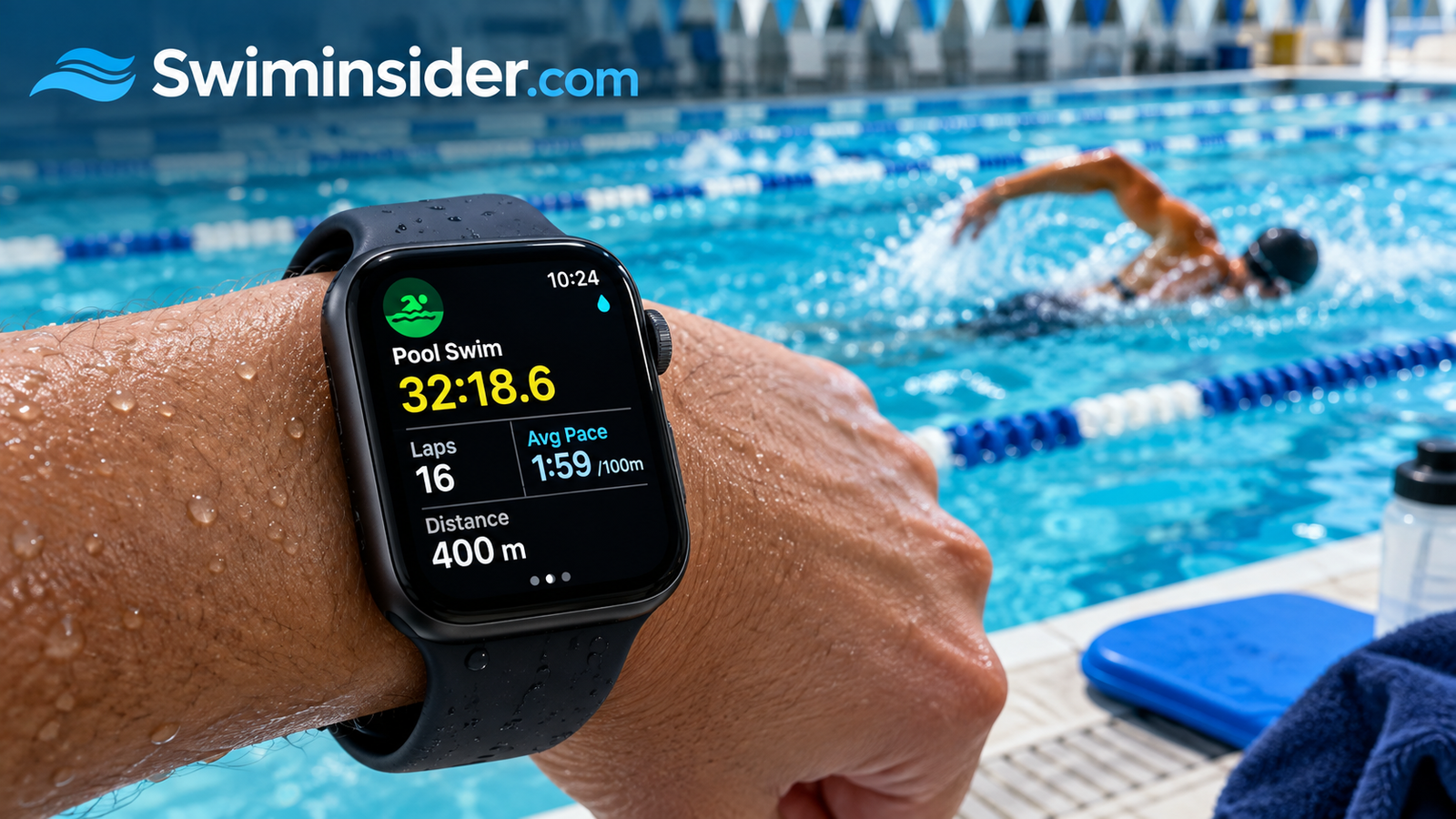
The pool is where an Apple Watch shines. The Workout app includes a dedicated Pool Swim type, and once you start it, the watch locks the screen against stray water touches and begins tracking your session. Here is the flow from the deck to the first wall.
Start a pool swim workout
- Open the Workout app on your watch and scroll to Pool Swim.
- Tap the three-dot icon or the options button to confirm your pool length. Standard options include 25 yards, 25 meters, and 50 meters, and you can enter a custom length for odd-sized pools.
- Set an optional goal such as distance, time, or calories, or choose Open and just swim.
- Tap start. The watch counts down and then locks the screen automatically.
- Swim. Pause at the wall if you need a rest, since the watch uses your pauses to separate sets.
Get the pool length right
This single setting drives almost every number the watch gives you afterward. If your pool is 25 yards but the watch thinks it is 25 meters, your distance will be off by roughly nine percent. Check the sign at the pool wall, confirm the unit, and set it once at the start of each session.
What the watch tracks in a pool
- Laps and distance using motion sensors and turn detection
- Stroke type including freestyle, backstroke, breaststroke, and butterfly
- Pace per hundred, broken out by set
- Heart rate sampled during the workout
- Calories burned estimated from movement and heart data
- Kickboard detection to separate drills from full strokes
If you are new to lane swimming, a few small habits make the data cleaner. Push off the wall with a real, clean glide. Keep your turns consistent. Avoid stopping mid-length unless you intend to log it as a rest. The watch is surprisingly good at spotting what you are doing, but it works from arm motion, so sloppy form creates sloppy data.
New swimmers should also pair the watch with solid basics. A well-fitting pair of goggles matters more than a smartwatch for comfort, so browse our picks for the best swimming goggles for beginners or, if you are logging serious yardage, our guide to the best swimming goggles for lap swimming.
Open Water and Ocean Swimming With an Apple Watch
Lakes, rivers, and the sea are a different story from a pool, and the watch handles them with a separate workout type. Open Water Swim relies on GPS to map where you went, which means it works best when your wrist actually breaks the surface from time to time.
Starting an open water swim
Open the Workout app and choose Open Water Swim. Give the watch a few moments to find a GPS signal before you wade in. Starting with no fix means your first minutes of tracking may look like a wandering scribble on the map. Once it locks on, tap start and the screen locks automatically.
How GPS behaves while you swim
GPS signals do not pass well through water. The watch grabs location points when your arm is out of the water during each stroke, which is why freestyle and butterfly usually track more cleanly than breaststroke or sidestroke. Your route will look slightly jagged, and total distance can drift by a few percent. That is normal behavior for wrist-based GPS, not a defect.
Safety matters more than stats
A watch does not make open water safer. Swim with a buddy, wear a bright cap, and consider a tow float so boats can see you. A bright, well-fitting cap also helps you stay visible, so see our guide to the best swim caps for open water, plus our picks for the best open water swimming goggles if glare or chop is a problem. Triathletes training for race day may like our rundown of the best triathlon swimming goggles.
Saltwater is fine for the watch, but always rinse it afterward with fresh water. Salt crystals can build up around the buttons, the Digital Crown, and the speaker grille, and over months they can make controls feel sticky. If you are curious about unusual swim locations, our guide on whether you can swim in Crater Lake is a fun read before your next outdoor trip.
Water Lock: How to Use It and How to Eject Water
Water Lock is the quiet hero of swimming with an Apple Watch. A wet touchscreen thinks every droplet is a finger, so without a lock your watch would pause workouts, open apps, and trigger random settings the moment you dove in.
What Water Lock does
When it is on, the touchscreen stops responding to taps and swipes. Buttons and the Digital Crown remain active so you can still check essential information. Swim workouts switch Water Lock on automatically, which is one less thing to remember on the pool deck.
Turning Water Lock on manually
- Press the side button once to open Control Center.
- Tap the water drop icon.
- The screen locks, and a drop symbol appears on the watch face.
Turning it off and clearing water
When you finish swimming, press and hold the Digital Crown until the watch counts down, then keep turning it. The speaker plays a series of tones that physically vibrate water out of the housing, and you may feel small droplets leave. It sounds odd, but it is working as designed. Tilt the watch with the speaker side down and let any remaining moisture drain.
Tip: Do not worry if the speaker sounds muffled right after a swim. It usually clears after the ejection sequence or after a short time to dry. If it does not, rinse with fresh water, run the ejection again, and leave the watch to air dry.
Swim Metrics and How Accurate They Are
An Apple Watch gives you a lot of numbers after a swim. Some are rock solid. Others are good estimates. Knowing the difference helps you use the data without over-trusting it.
The reliable numbers
Lap count and total distance are usually dependable in a pool, as long as you set the pool length correctly and make clean turns. Elapsed time is exact. Pace per hundred is dependable too, since it is calculated from distance and time. Stroke identification is strong for freestyle and backstroke and good for breaststroke and butterfly, with mixed sets sometimes needing a quick review.
The softer numbers
Heart rate in water is harder to measure. The optical sensor on the back of the watch reads blood flow through your skin, and water, bubbles, and movement can interfere. Readings usually show the trend of your effort, but individual spikes or dips can be off. Calorie estimates depend on heart rate and movement, so treat them as a rough guide, not a lab result.
SWOLF, a score that adds your stroke count and your time for a length, appears in many swim summaries. Lower is better, and it is a handy way to track efficiency over weeks. Compare scores across similar sets rather than across different strokes or pool lengths.
Metrics at a glance
| Metric | Typical reliability | Best used for |
|---|---|---|
| Laps and distance | High in a pool | Daily volume and weekly totals |
| Pace per 100 | High | Tracking speed over time |
| Stroke type | High to moderate | Reviewing mixed sets |
| Open water distance | Moderate (GPS gaps) | General route and effort |
| Heart rate | Moderate | Overall intensity trends |
| Calories | Estimate only | Rough energy guidance |
Compare your numbers to yourself, not to a friend with a different watch or a different pool. The trend over a month tells you far more than any single session.
What Not to Do With Your Apple Watch in the Water
Rated for swimming does not mean rated for everything wet. A handful of situations are known to shorten a watch’s life, and avoiding them is easy once you know what they are.
Skip these situations
- Hot tubs, saunas, and steam rooms. Heat and rapid temperature changes can weaken seals. Apple specifically advises against wearing the watch in them.
- Scuba diving. Standard Series and SE models are not designed for it. The Ultra line has features for recreational diving, but follow the manufacturer’s current guidance.
- Water skiing, wakeboarding, and jet skiing. High-velocity water hitting the case is beyond what the standard rating covers.
- Showering with soap or shampoo. Soap can break down the seals and leave residue in the speaker and microphone ports.
- Sunscreen, lotion, and insect repellent. These can degrade the case materials and bands over time.
- Perfume and cleaning products. Solvents are harsh on gaskets and adhesives.
Handle chlorine with care
Pool chlorine in normal concentrations is fine for the watch, but it is hard on certain bands. Leather straps and some fabric bands can stiffen, fade, or fall apart quickly. Swapping to a swim-friendly band for each session is a small step that saves money in the long run. The same chemicals can irritate sensitive skin and hair, so if you are fighting dryness or damage, look at our guide to the best swim caps for long hair and our how-to on putting on a swim cap without pulling your hair.
Rule of thumb: clean, cool, still water is great. Hot, soapy, chemical-heavy, or fast-moving water is where watches fail.
Best Bands for Swimming With an Apple Watch
The watch itself is only half the picture. Your band takes the beating from chlorine, salt, and sunscreen, and the wrong one can ruin a session with itching, slipping, or a sudden failure mid-lap.
Bands that suit the water
| Band type | Swim friendliness | Notes |
|---|---|---|
| Sport Band (fluoroelastomer) | Excellent | Dries quickly, resists chlorine, easy to rinse. |
| Solo Loop (silicone) | Excellent | No clasp to catch or fail, stays snug during turns. |
| Ocean Band (Ultra) | Excellent | Built for water and dive use with a secure fit. |
| Nylon or woven loops | Good with care | Take longer to dry and can hold chlorine smell. |
| Leather and metal links | Poor | Leather degrades fast. Metal can pinch or corrode. |
Fit matters for sensors and comfort
In the water, your wrist shrinks slightly with the cold and a loose band slides around. A snug but not tight fit gives the best sensor readings and prevents the watch from twisting during a push-off. If the band leaves deep marks or feels uncomfortable after a long swim, go up a size. If it spins freely, go down one.
Silicone bands are cheap and come in many colors. Keeping a dedicated swim band means your nicer everyday band stays out of the pool. Rinse the swim band after every session and let it dry fully so it does not hold odors.
Why silicone wins
- Handles chlorine and saltwater
- Dries quickly
- Affordable to replace
- Lightweight and comfortable
Silicone downsides
- Can trap sweat against the skin
- Less formal for office wear
- Attracts lint and dust
- May stain from dark dyes
Aftercare: How to Keep Your Apple Watch Healthy After Swimming
What you do in the ten minutes after a swim matters nearly as much as the swim itself. A few quick habits keep the seals, speaker, and band in better condition for longer.
A simple post-swim routine
- Rinse with fresh water. Hold the watch under a gentle stream of tap water to wash off chlorine, salt, and sunscreen residue. Skip hot water.
- Eject water. Use the Digital Crown unlock to push water out of the speaker.
- Dry with a soft cloth. A lint-free cloth works best. Avoid compressed air, which can push moisture inward.
- Air dry the band. Remove it if you can and let it dry separately so moisture does not stay trapped against the case.
- Wait before charging. Make sure the charging contacts on the back are completely dry before you place the watch on the charger.
Looking after your skin
Moisture trapped under the watch can irritate skin, especially after a long session. Take the watch off for a while after swimming, wash your wrist with mild soap, and let it breathe. Pool chemicals can also be rough on ears and sinuses, and if you swim often, our guides to preventing swimmer’s ear and the best ear plugs for swimmers are worth a look.
Signs that something is wrong
- Fogging or moisture under the display
- A speaker that stays muffled after several ejections
- Touch input that misbehaves long after drying
- Visible cracks in the glass or case
- Battery draining faster than usual after water exposure
If you see any of these, stop swimming with the watch and contact Apple Support or an authorized service provider. Water damage is generally not covered by the standard warranty, so catching problems early can save money.
Apple Watch vs. Dedicated Swim Watches
If you swim two or three times a week for fitness, the Apple Watch is likely all you need. If you swim competitively or want deeper metrics, a purpose-built swim watch may serve you better. Here is how they compare in real use.
| Feature | Apple Watch | Dedicated swim watch |
|---|---|---|
| Everyday smart features | Calls, texts, apps, payments, music | Limited or none |
| Swim tracking depth | Strong for general fitness | Often more detailed, with drill logging and critical swim speed |
| Battery life | About a day of normal use | Often several days to weeks |
| Screen | Bright touchscreen, locked in water | Often button-driven, easier to use wet |
| Price range | Mid to high | Low to high |
| Best for | Casual and fitness swimmers who want one watch for everything | Serious pool swimmers and coaches |
Apple Watch strengths
- One device for the whole day
- Excellent app ecosystem
- Bright, easy-to-read display
- Automatic Water Lock and ejection
Apple Watch limits
- Needs frequent charging
- Touchscreen cannot be used in the water
- Fewer advanced swim analytics
- Not ideal for deep diving on standard models
The right pick depends on how you swim. If swimming is part of a larger fitness routine and you want one wearable, the Apple Watch is an easy yes. If you chase race times or lead team sets, a dedicated swim watch with long battery life and button controls is worth a look.
Gear That Makes Swim Tracking Better
Your watch can only measure what your body does, so the rest of your kit shapes how smooth the session feels. Comfortable, well-fitted gear helps you stay relaxed, and relaxed swimmers produce cleaner stroke data.
Goggles first
If your goggles leak, fog, or squeeze your face, you will stop and adjust constantly, and every stop interrupts your tracking. Our guides on the best anti-fog swimming goggles and the best swimming goggles that do not leak cover the most common problems, and the how to choose swimming goggles guide helps you match a pair to your face. Already own a pair that misbehaves? Learn how to stop swimming goggles fogging or why your goggles leak.
Caps, clips, and suits
A cap keeps hair out of your face and cuts a little drag. If you are unsure which material to buy, our comparison of silicone vs. latex swim caps explains the trade-offs, and the best swim caps list gives you ready picks. A nose clip helps with breathing rhythm during drills, and a comfortable, quick-drying suit keeps you focused on form. Browse the best swimsuits for the full range, or go directly to the best swimsuit for women, the best swimsuit for men, or the best competitive swimsuits if you race.
Swimming with kids
Parents often ask whether a kid can wear a watch in the pool for tracking. For young swimmers, safety and technique come first, and gadgets can wait. If you are just getting a child started, read how to teach kids to swim before worrying about metrics, and make sure the little ones have comfortable gear, such as the best swimming goggles for kids.
Frequently Asked Questions About Swimming With an Apple Watch
Can I swim with my Apple Watch in a pool?
Yes, if it is a Series 2 or later, an SE, or an Ultra. Use the Pool Swim workout, which turns on Water Lock automatically and tracks laps, pace, and strokes. The original Apple Watch and Series 1 are only splash resistant, so keep those out of the pool.
Can I swim in the ocean with an Apple Watch?
Yes. Modern models handle saltwater. Use the Open Water Swim workout for GPS tracking, and rinse the watch with fresh water afterward so salt does not build up around the buttons and speaker.
Is the Apple Watch waterproof?
Not technically. It is water resistant, which means it handles specific conditions within stated limits. Seals can wear over time, so water resistance is not permanent. Treat it as a capability that needs care.
Which Apple Watch models are safe for swimming?
Series 2 and every later Series model, all SE models, and all Ultra models are rated for swimming. The first-generation watch and Series 1 are not. You can confirm your model in the Watch app on your iPhone under General, then About.
What is Water Lock and when should I use it?
Water Lock turns off the touchscreen so water droplets cannot trigger taps. Swim workouts turn it on automatically. You can also enable it from Control Center by tapping the water drop icon whenever you will be in the water.
How do I get water out of my Apple Watch speaker?
After turning off Water Lock by pressing and turning the Digital Crown, the watch plays tones that push water out of the speaker. Hold the watch with the speaker facing down so the water can drain. Let it air dry afterward.
Can I wear my Apple Watch in a hot tub or sauna?
Apple advises against it. High heat and sudden temperature changes can weaken the water seals, so take the watch off before using hot tubs, saunas, or steam rooms.
Can I shower with my Apple Watch?
A brief rinse in plain water is generally fine for modern models, but soap, shampoo, and hot water can damage seals and bands. It is safer to remove the watch before showering.
Is the heart rate reading accurate while swimming?
It is useful for trends but less precise than on land. Water, bubbles, and movement interfere with the optical sensor, so readings can fluctuate. Use them to judge overall effort, not exact beats.
Does chlorine damage an Apple Watch?
Normal pool chlorine will not harm the watch itself when you rinse it afterward. It can degrade leather and some fabric bands, so use a silicone or sport band for swimming.
Can I scuba dive with my Apple Watch?
Standard Series and SE models are not designed for scuba diving. The Ultra line is built with recreational diving in mind, but you should follow Apple’s current guidance for depth and use.
Should I charge my Apple Watch right after swimming?
Wait until it is fully dry. Rinse it, eject any water, wipe it with a soft cloth, and make sure the charging contacts on the back are dry before placing it on the charger.
Conclusion: Swim With Confidence, Just Not Carelessly
So, can you swim with your Apple Watch? For nearly every current model, absolutely. Series 2 and later, the SE, and the Ultra were built to handle pool laps, ocean dips, and surface snorkeling, and the software around them, from the Pool Swim workout to Water Lock and water ejection, is designed to make it simple.
The key is respecting the limits. Stay out of hot tubs, saunas, and fast-water sports. Keep soap, sunscreen, and perfume away from the case. Choose a silicone band, rinse the watch after every swim, and let it dry fully before charging. Do those few things and your watch can log thousands of laps without trouble.
Treat the numbers as guidance, not gospel, and use them to track your progress over weeks and months. If your needs outgrow what the Apple Watch offers, a dedicated swim watch is always an option. Either way, the best swim gear is the kind that gets you into the water more often.